FCA Autofill from Excel (Under Beta Testing)
A Google Chrome extension designed for simplifing data entry by automating the filling out of HTML forms using information from an Excel spreadsheet with the thoughts of easing FCA workflows.
Created by Ronald Lam and Benjamin Chau, from Bachelor of Science in Computing, Faculty of Applied Sciences, Macao Polytechnic University; supervised by Dr Patrick Pang.
Installation
- Install the extension from Chrome Web Store
Note: This extension only works with Google Chrome browser at the moment
- Select the [Extensions] icon, find [Autofill from Excel] and click its [Pin] button.
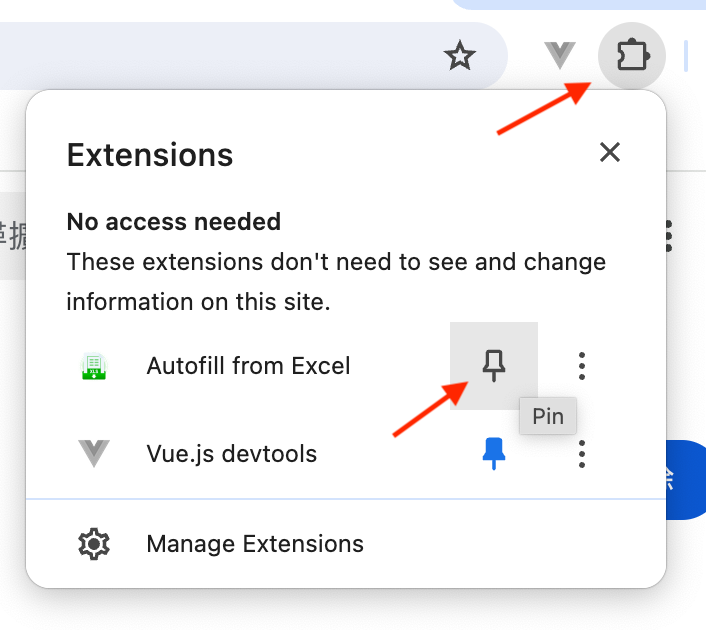
- Then, it will appear as a button next to the address bar.

Use Cases
There are several use cases within FCA for this extension. Please read the sections below and use the appropriate templates.
Score Input (BGE)
- Download this Excel template
- DO NOT modify the top 2 rows as it contains values needed by the extension, you can hide them instead
- Enter or paste student IDs, names, and scores to the relevant columns ([Paste as Values] is recommended).
Due to the limitations of BGE, separate Excel files are needed for components such as CW, FE, etc.
- Back to the browser, open BGE
- Select your module, class, and component (e.g. CW), then the score input screen should appear
- Click on the toolbar extension button, then select or drag & drop the Excel file for that component
- A preview screen will be shown like below. Click [Fill All] to send all scores to BGE.
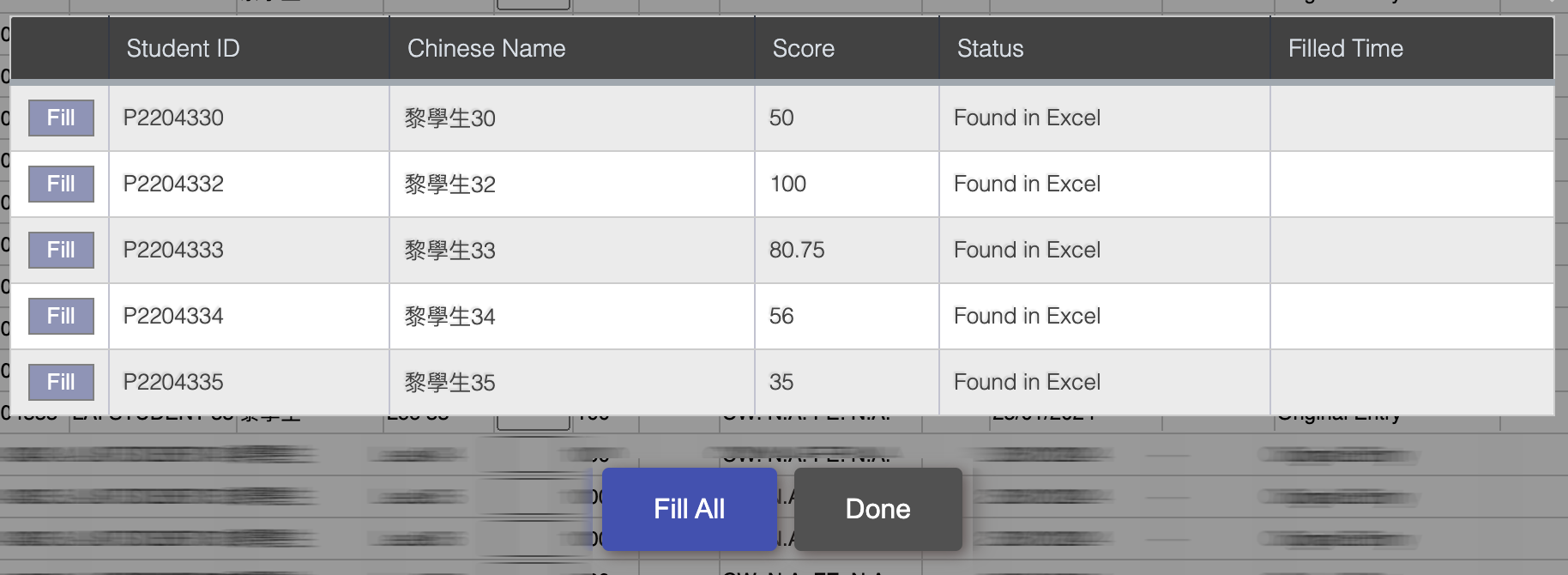
- Check all scores are correctly entered for the corresponding students; repeat for other components if necessary
Other Uses
Other use cases are still being investigated.